Music Programming

Onyx
Music scheduling made simple

Onyx automates playlist creation while respecting your programming rules. No more hours spent on manual planning: let the algorithm work for you.

Onyx

Transform your workflow

Compare manual programming to the power of Onyx.

Without Onyx

Manual programming

  • 2-3 hours daily for planning
  • Unintentional artist repetitions
  • Managing rules in a spreadsheet
  • Stress from oversights and errors
  • Inconsistent music format
  • Difficult quota compliance
With Onyx

Automated programming

  • Generation in seconds
  • Artist/title separation respected
  • Rules configured once
  • Peace of mind and total control
  • Consistent format 24/7
  • Quotas automatically guaranteed

Professional music scheduling

All the tools to create consistent and engaging programming.

🕐

Music clocks

Create template clocks for each time slot. Define the category sequence for one hour.

🔄

Smart rotations

Configure play frequency for each category. Hits play more often, gold less frequently.

🚫

Separation rules

Avoid repetitions: artist, title, tempo, genre separation. Customize to your needs.

📅

Schedule calendar

Visualize and plan your week at a glance. Assign clocks by day and time slot.

Automatic generation

One click to generate the day's, week's, or month's playlist. The algorithm respects all your rules.

📊

Statistics and reports

Analyze rotations, verify quotas, track play history.

Design your music format

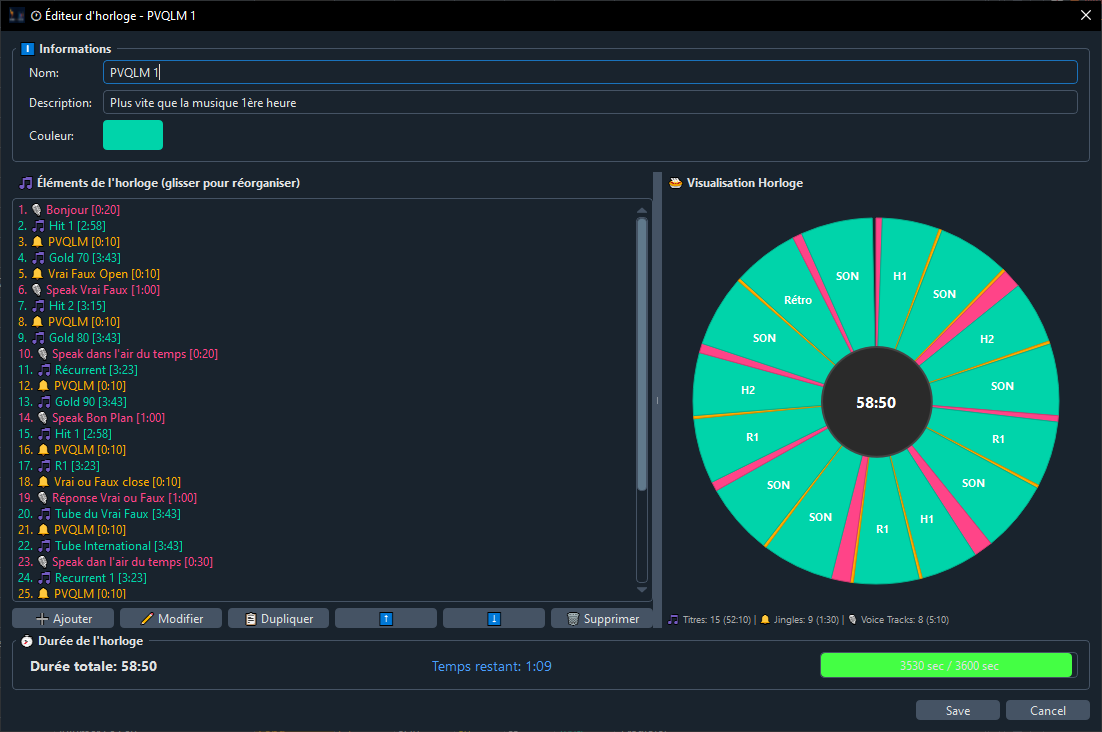
The visual clock editor lets you precisely define the element sequence for a template hour.

  • Drag and drop categories
  • Precise jingle positioning
  • Slots for scheduled content (news, weather...)
  • Target duration per element
  • Preview of the generated hour
  • Reusable clock templates
Onyx Clock Editor
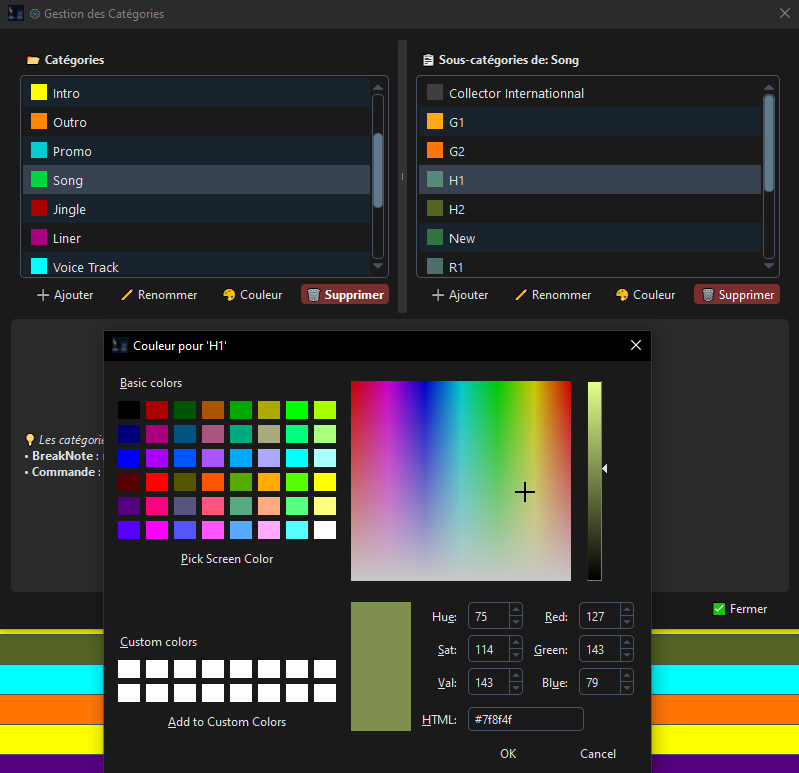
Onyx Category Manager

Organize your library

Classify your tracks by custom categories and define rotation rules for each one.

  • Unlimited categories and subcategories
  • Customizable colors
  • Rotation rules per category
  • Minimum/maximum quotas
  • Validity periods (seasonal)
  • Import/export configurations

Avoid unwanted repetitions

Configure precise rules for a professional station sound.

👤

Artist separation

Define a minimum number of tracks between two plays of the same artist.

🎵

Title separation

Prevent the same title from playing too often in a day or week.

🎸

Genre separation

Alternate music genres to maintain variety.

💃

Tempo separation

Balance fast and slow tracks for a coherent flow.

📅

Decade separation

Mix eras to satisfy all listeners.

🔊

Energy separation

Vary energy levels to energize your broadcast.

Connected to Phoenix Pro

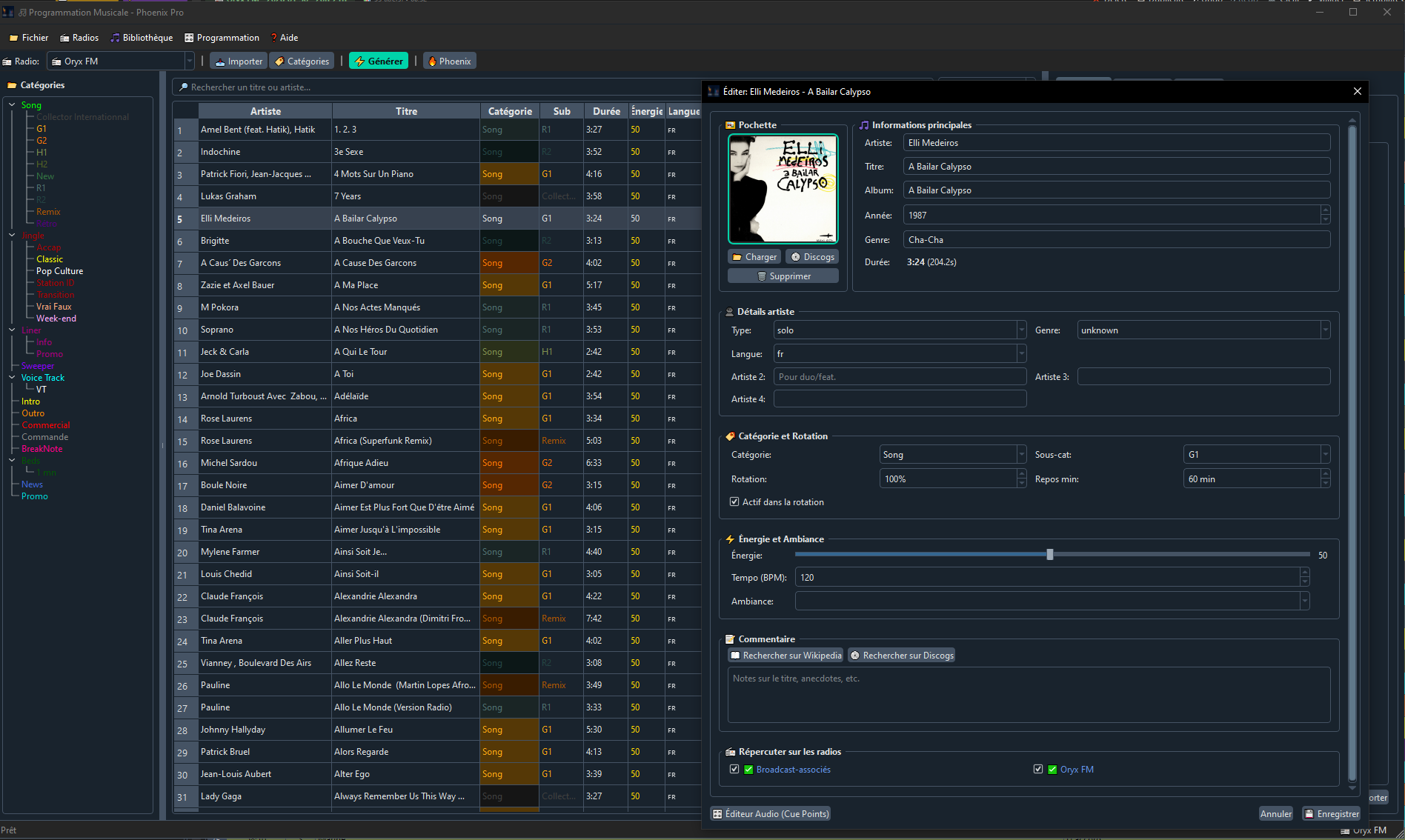
Onyx and Phoenix Pro share the same database. Your generated playlists are immediately available for broadcast.

  • Shared PostgreSQL database
  • Real-time synchronization
  • Common music library
  • Shared enriched metadata
  • One-click export to Phoenix
  • Accessible broadcast history
Discover Phoenix Pro
Onyx Phoenix Pro Integration

Adapted to all formats

Onyx adapts to your music format, whatever it may be.

🎤

CHR Radio

Tight hit rotation, strict artist separation, quota compliance.

🎷

Adult Radio

Balanced mix of new releases and gold, tempo adapted to time of day.

🎸

Specialty Radio

Sub-genre management, decade alternation, special playlists.

Automate your programming

Save hours every week with Onyx.

Request a Quote Discover Phoenix Pro